How-to-Guide—indieVelo Team Kit and Branding

Beta-tester Jeff Baumgardner shares Step-by-Step instructions for creating an indieVelo Team Kit and in-game Branding because everyone loves New Kit Day.

One of the joys of joining a new team is New Kit Day! It makes you feel like you belong to the group when that package arrives and you can fly your team colors. Even in the virtual world, it is exciting to have the option of putting on a pixelated version of your kit. Your kit marks you as a teammate and helps spot others on the team. As many virtual cyclists have never met in real life, I feel a connection whenever I cross paths with my teammates in the virtual world.


One of the underappreciated perks of the virtual cycling platform indieVelo is the ease with which one can creat an in-game team kit and branding. Although the community is not as big as some other platforms, many teams have already placed their flags in the game and more are starting to set up shop.

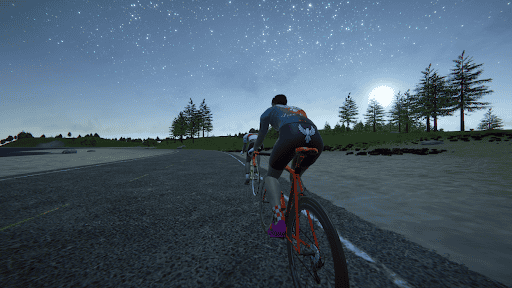
indieVelo avatar with in-game team kit
After a few hours any indieVelo Founder’s Club Member can have their team kit in the game!

Disclaimer—You Don’t Need To Be a Graphic Designer

Several questions have arisen about the process in the indieVelo Discord server, and since I just went through it, I want to share my experience. It took a little bit of effort to learn basic graphic design skills, but overall, it was seamless and shockingly simple.

I will mention that I am NOT a graphic designer, and my experience with online tools starts and ends with PowerPoint. I have played around with some AI image generators but have no real experience with graphic design. 

Starting with this background, I recently offered to set up the team for my coach, Lunden Friberg from Free Bird Endurance (@freebirdendurance on Instagram), as several of us athletes are on IndieVelo and we had discussed creating a team kit so that we could race together as a team. We had just placed the order for the 2024 IRL kit and were eagerly waiting for it to show up.

How To Create an indieVelo Team Kit

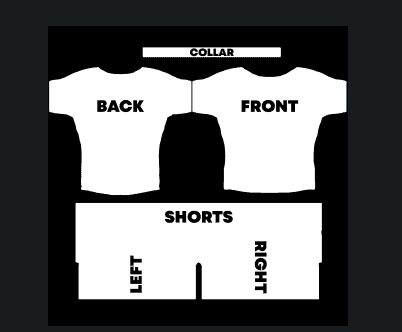
The first step was to go to the indieVelo Wiki page on team creation (Organise Your Own Team—indieVelo Wiki), where I learned that I needed to email help@indievelo.com with the team’s name, team managers, and a completed template for the kit. This sounded simple enough, so I went to work in handy (and free) Google Sheets to cut and paste from the team kit order page to this template. I attached the file and sent the email off with a smile on my face.

indieVelo team kit template

I obviously had not read all the details, as I received an email several hours later reporting that creating the team was no problem, but the kit would be blurry in-game because I had sent a high-resolution PNG file in 2048 x 2048 pixel format. 

In order for the kit to be well-represented in-game, I would need to scale up the template. Although I understood the individual words in the email, I had never done this kind of work before and was not exactly sure where to start.

Fortunately for me, there are a variety of online programs built for this purpose. But where to start? Being cheap and not planning on using these tools again, I started with free programs that promised to convert your JPG to PNG; however, I quickly learned that I got what I paid for, and while these programs would make some changes, they would not actually accomplish the goal of creating a high-resolution image in a larger format.

The next step was to find a paid program with a good free trial, and I found Canva (Adobe Express also seemed like a good option). This program allowed me to use a variety of tools, including an image upscale app, a magic eraser, and a color match app to help put the pieces back together for the higher-resolution image. 

It was a process of trial and error with several back-and-forth emails to indieVelo that told me I was closer but not there yet. At last, I was able to put in the final touches, get a sign-off from the team, and send it in the evening, US time. When I woke up the next morning, I was informed that the team kit was live in-game.

Although the process took about two days of back and forth with IndieVelo and my team, this delay was all due to my lack of graphic design skills. If your team has someone who knows how to use these programs and has access to high-resolution logos, this process will be much quicker. From what I learned, I feel confident that I could now put this together in about an hour or so.

With our new kit in-game, we were able to schedule a race together and proudly show off our new kits!

indieVelo Free Bird in game kit indieVelo

How to Create indieVelo In-Game Branding

With the new kit in-game, after an obligatory photo shoot and a test ride, it was time for the next step: placing branding on the banners along the routes. This is also a nice perk so your team can “sponsor” your events.

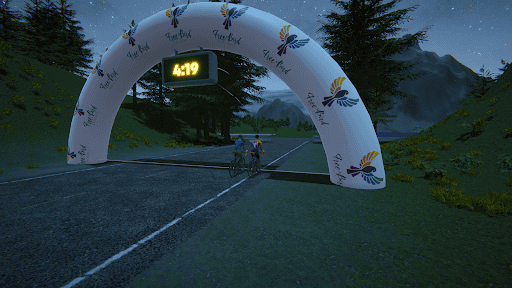
indieVelo in-game branding free bird endurance logo

he process is even simpler than the team kit and is also found on the Wiki (Custom Event Branding – IndieVelo Wiki). There is no template needed; all you have to do is email the image to help@indievelo.com.

Feeling pretty confident, I emailed the logo only to be told that a higher-resolution image would be preferred as well. At least I knew what to do this time and fired up Canva to use the image upscale app and… presto! A better image was created. The reply email was quickly affirmative, and I was able to add these banners to our race.

indieVelo in-game branding on banner

I have very much enjoyed my time spent on indieVelo and have appreciated how quickly the developer, Dr. George Gilbert, has been at improving the user experience. Adding teams with kit and branding improves the experience for those on the platform and is a good foundation for building the community here.

Special thanks to Beta-tester Jeff Baumgardner!

Subscribe
Notify of
guest

0 Comments
Inline Feedbacks
View all comments

Latest Podcast!

Virtual Velo Podcast Ep. 88 Jason Osborne
Check out Episode 88 here!
UCI Cycling Esports World Championship LiveBlog
Click to join the fun!

Latest Posts!

Use code ZOMM50 at checkout for $50 off your Velocity Rocker Plate order exclusively for our followers!

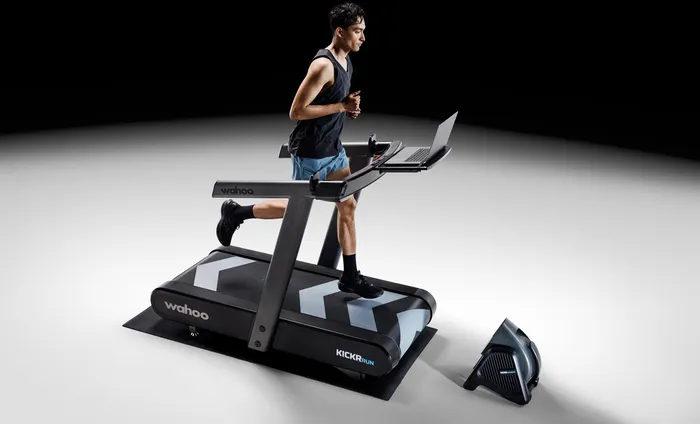
Wahoo Run Smart Treadmill
Click the image to be one of the first to get the revolutionary Wahoo Run Smart Treadmill!
Zwift ride frame
Click for complete line of Zwift Bikes!

Do you want to join the VVN team? Tap the logo for details!

The Zommunique’ Community gets 10% off at LEVELVelo.com with coupon code “TheZomm gives 10% off”   

Broadcast Partner to The Virtual Velo Network!

The DIRT Dad Fund

Contribute to a great cause!

The DIRT Dad Fund

Share the power of The DIRT Effect

Click to see the full Zwift product line!

Jaclyn Long, MFT

Certified Yoga & Mindfulness Teacher

Marriage & Family Therapist in CA

Sports Anxiety Therapy

Purchase your Zwift Play controllers here!

0
Would love your thoughts, please comment.x
()
x
The Zommunique
Privacy Overview

This website uses cookies so that we can provide you with the best user experience possible. Cookie information is stored in your browser and performs functions such as recognising you when you return to our website and helping our team to understand which sections of the website you find most interesting and useful.