
How-to-Guide—Rider Weight and Interpreting Effort in indieVelo

The approach to Rider Weight and Interpreting Effort in indieVelo is unlike what you'll find on other virtual platforms, and for good reason.

Need help finding the w/kg numbers you’ve grown accustomed to on other platforms? You won’t find them on indieVelo. Rest assured. They’re working hard behind the scenes in the game’s speed algorithms.

indieVelo has consciously decided to refrain from showing you the other riders’ power-to-weight ratio (w/kg). There are two main reasons for this choice:

Firstly, indieVelo promotes a healthy cycling community and the sport’s growth. While a rider’s weight is essential in determining their in-game avatar speed, there’s no real benefit in sharing this information publicly with everyone. Too much emphasis on weight can potentially create unhealthy perceptions and behaviors among individuals, which isn’t good for the community or the growth of the sport.

Secondly, indieVelo believes that sharing an overload of performance data can take away from the genuine enjoyment and essence of the sport. Most people find natural, instinctual racing more engaging and fun than making decisions based on numbers in a data chart.

Instead, indieVelo shares data that mirrors what you’d experience in a real-world race. You get to see how fast other riders compare to you, and you can gauge their physical effort level, i.e., if they’re taking it easy, putting in some work, or going full gas in a sprint. This approach keeps the game experience immersive, exciting, and authentic.

indieVelo Displaying Rider Weight and Effort image

Displaying Relative Speed

In indieVelo, you can quickly tell the relative speed of other riders by observing their movement compared to yours on the screen.

We know that in real-life cycling, you get additional cues, like peripheral vision, sounds, and the ability to glance around and observe others. Since a digital platform can’t accurately replicate these aspects, indieVelo provides a solution to enhance your gaming experience.

indieVelo compensates for this by clearly showing all riders’ speeds in the “nearest riders'” list. The feature allows you to quickly assess whether you’re catching up or falling behind groups of riders ahead or behind you. In real-world cycling events, this is information you’d also have. It helps make your virtual riding experience more realistic and engaging, giving you a better sense of your competition and your performance in the virtual world.

Also Read: How-to-Guide-Keyboard Shortcuts

indieVelo Displaying Rider Speed and Effort avatar image

Displaying Relative Effort

Judging the effort of other riders can be challenging in online racing. It is especially true compared to outdoor racing, where subtle signs like breathing or body posture changes serve as indicators that are tough to mirror in a virtual setting.

indieVelo does its best to simulate these changes in body position, but racers need more. Through testing, indieVelo found that races become more strategically interesting by displaying Relative Effort related to a racer’s Critical Power (CP).


indieVelo indicates Relative Effort in two ways:

  1. In the ‘nearest riders’ list.
  2. On a small light attached to each rider’s seat post.


Here’s how to interpret the light:

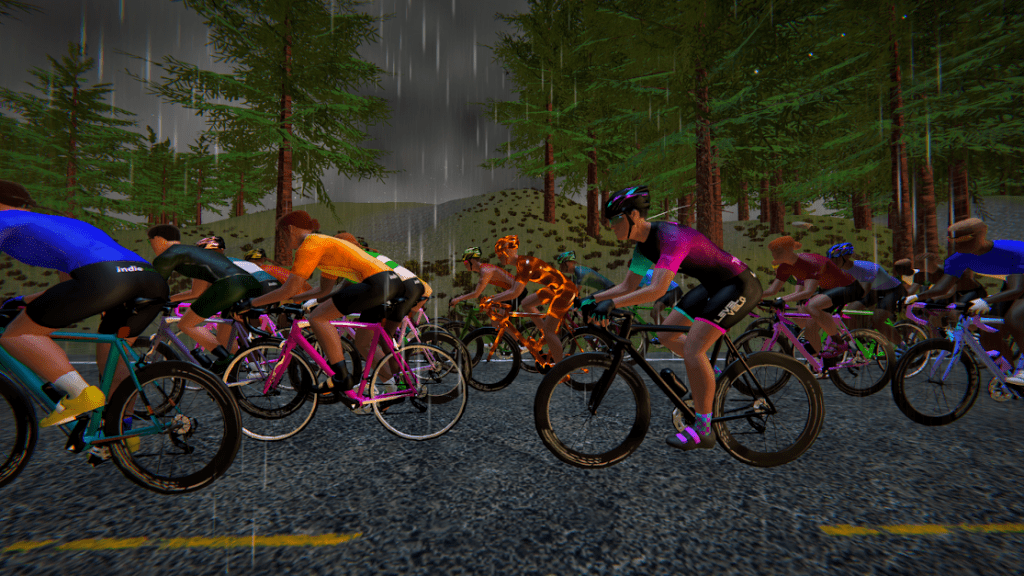
  • If a rider is cruising easily, the light will be a dark red.
  • As the rider puts in more effort, the light will turn on and shift through shades of amber.
  • If a rider is working really hard, the light will gradually change to various shades of green, ultimately glowing bright green.


Each rider can fully customize their color choices to suit individual preferences and ensure enjoyable and easily understandable gameplay.

Also Read: How-to-Guide-Pacebots

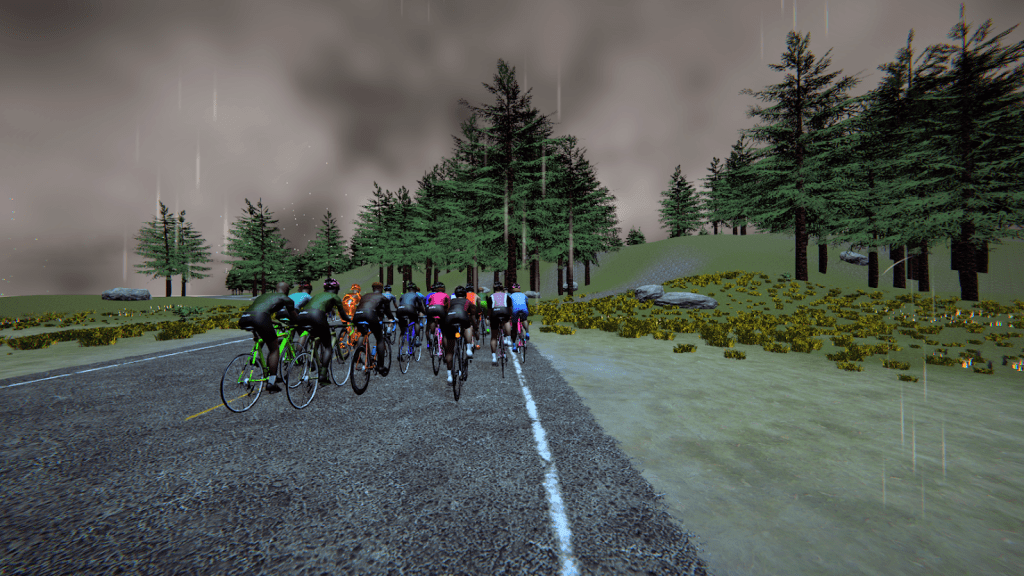
indieVelo Displaying Weight and Effort avatars in the rain

Check out indieVelo—How-to-Guides for more helpful tips and tricks!

Subscribe
Notify of
guest

0 Comments
Inline Feedbacks
View all comments

Latest Podcast!

Virtual Velo Podcast New Episode Ep. 91 Virtual Cycling Singapore Yi Jun
Check out Episode 91 here!
UCI Cycling Esports World Championship LiveBlog
Click to join the fun!

Latest Posts!

Use code ZOMM50 at checkout for $50 off your Velocity Rocker Plate order exclusively for our followers!

Wahoo Run Smart Treadmill
Click the image to be one of the first to get the revolutionary Wahoo Run Smart Treadmill!
Zwift ride frame
Click for complete line of Zwift Bikes!

Do you want to join the VVN team? Tap the logo for details!

The Zommunique’ Community gets 10% off at LEVELVelo.com with coupon code “TheZomm gives 10% off”   

Broadcast Partner to The Virtual Velo Network!

The DIRT Dad Fund

Contribute to a great cause!

The DIRT Dad Fund

Share the power of The DIRT Effect

Click to see the full Zwift product line!

Jaclyn Long, MFT

Certified Yoga & Mindfulness Teacher

Marriage & Family Therapist in CA

Sports Anxiety Therapy

Purchase your Zwift Play controllers here!

0
Would love your thoughts, please comment.x
()
x
The Zommunique
Privacy Overview

This website uses cookies so that we can provide you with the best user experience possible. Cookie information is stored in your browser and performs functions such as recognising you when you return to our website and helping our team to understand which sections of the website you find most interesting and useful.